
AI learning creation for teachers and teams

Your knowledge.
Turned into
beautiful learning.

Tell FrogSpark what you want to teach, or bring the materials you already have. It designs the learning, writes the content and creates the visuals.

Ready for you to review, make your own and share.

For the classroom. For the training room. For your own people.

Created with FrogSparkGeography · A world to explore
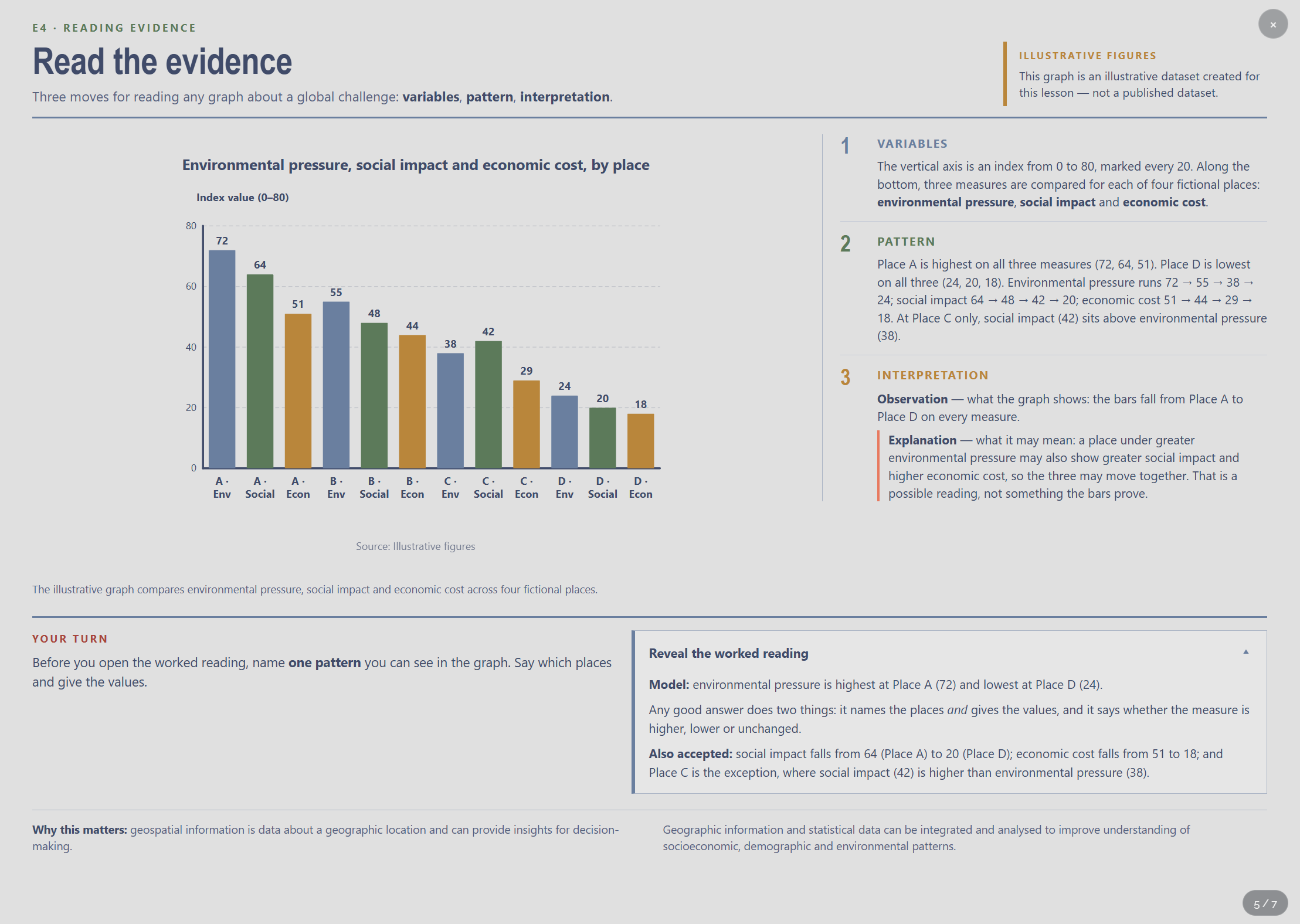
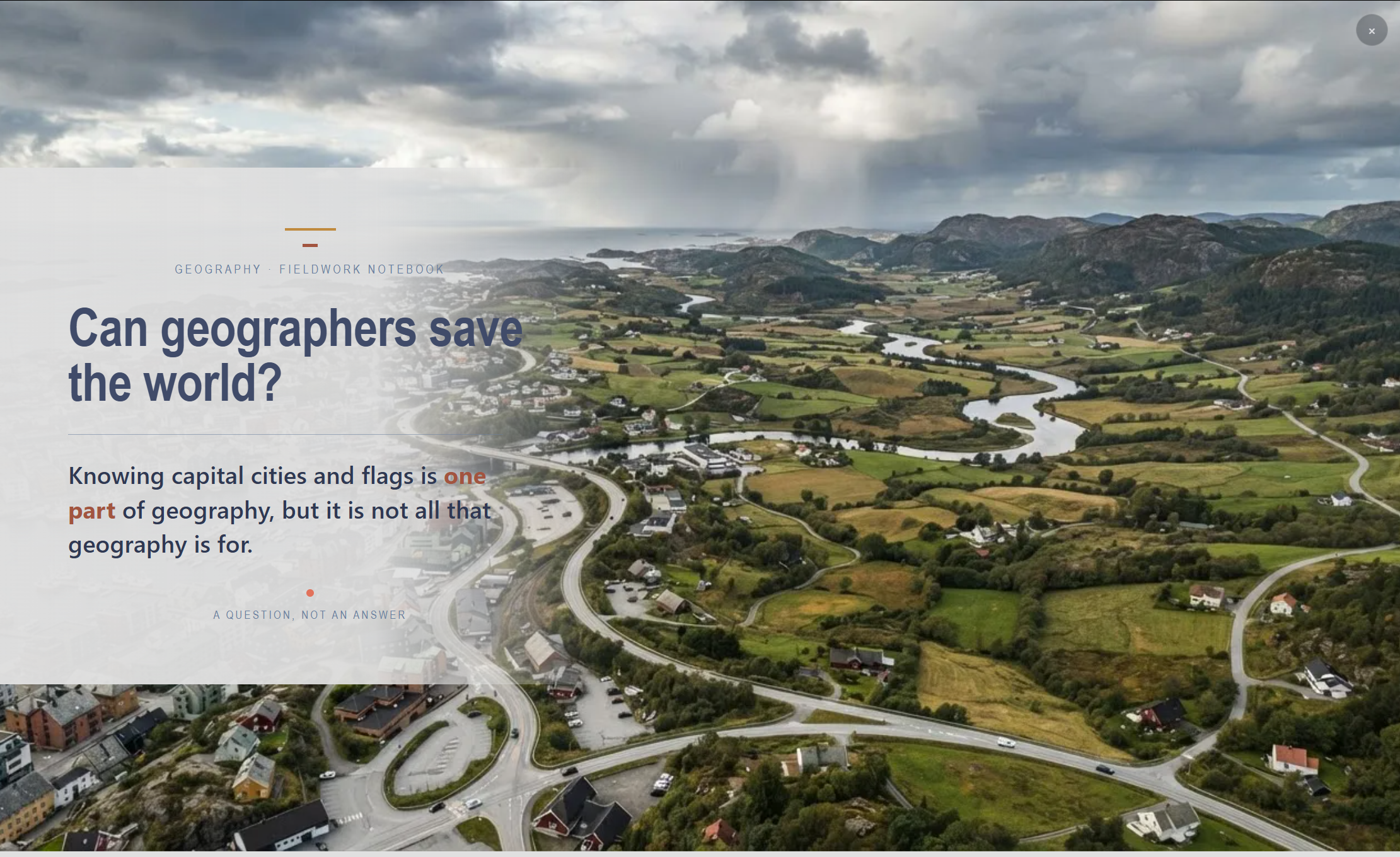
A FrogSpark geography lesson opens on a dramatic river valley, with the question: Can geographers save the world?
A whole world to draw them in.An actual learning page created with FrogSpark.
Hear another lesson come to life.Science: the disappearing puddle · 19 seconds
Read the transcript

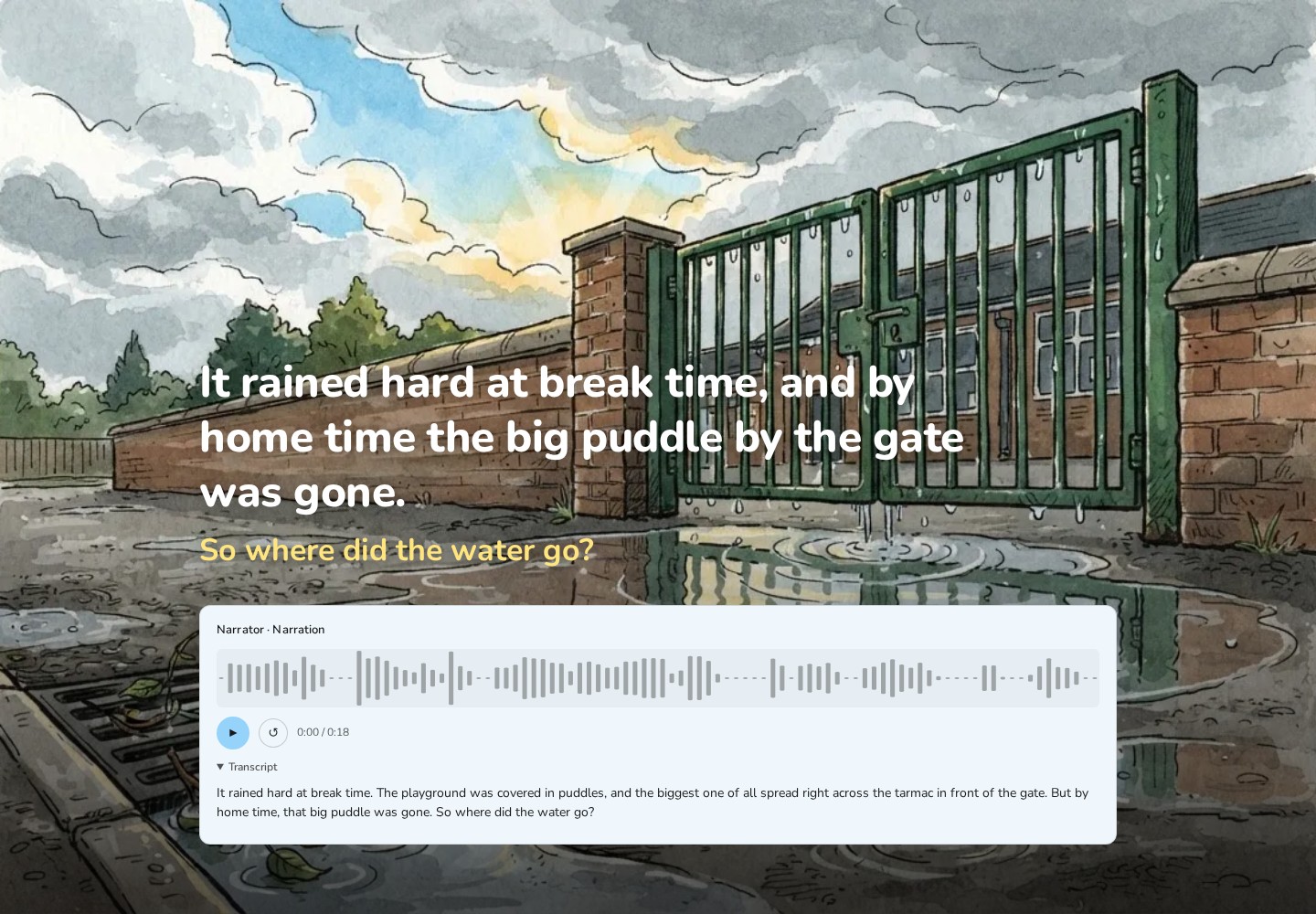
It rained hard at break time. The playground was covered in puddles, and the biggest one of all spread right across the tarmac in front of the gate. But by home time, that big puddle was gone. So where did the water go?

Learning design built inYour materials, your contextReady to edit and share

Same knowledge. A very different experience.

From a policy to read.
To learning that pulls you in.

Bring the material your people need to understand. Give them something they’ll want to explore.

Your policy
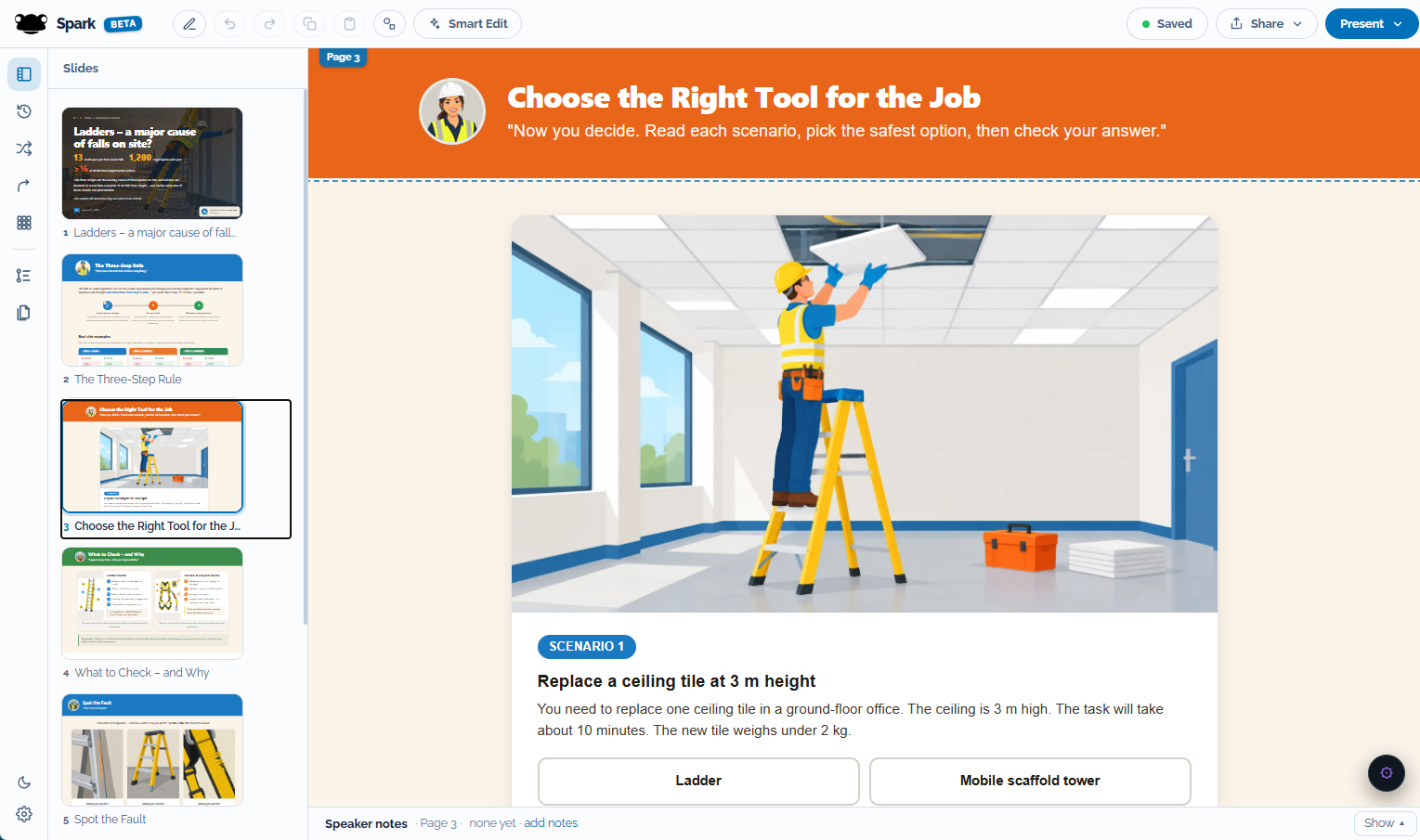
Another page from the working at height lesson asks learners to choose a ladder or mobile scaffold for replacing a ceiling tile.
A decision to think through
The policy becomes an illustrated working at height lesson, with a ladder stretching up through the scene and a clear introduction to safe choices.
Learning that brings it to life

Real source material. Real FrogSpark output. Two pages from the same lesson.

Start with what you know

What do you
want to teach?

For people who know their subject.
And want others to understand it.

At school

Bring the subject
to life for your class.

Introduce a tricky idea. Explore it through pictures and activities. Give pupils a chance to explain, practise and revisit what they have learned.

Create for the way you teach
At work

Make your organisation’s
knowledge useful.

Welcome new starters. Explain your products and processes. Help people practise the decisions they face, using your terminology and your examples.

See a workplace example

It starts with an idea

A few words.
A world to explore.

A history lesson with its own visual character. An opening that sets the scene, evidence to read closely, and ideas to discuss together.

The actual starting prompt
industrial revolution, year 8, from front of class, 20 minutes on child labour
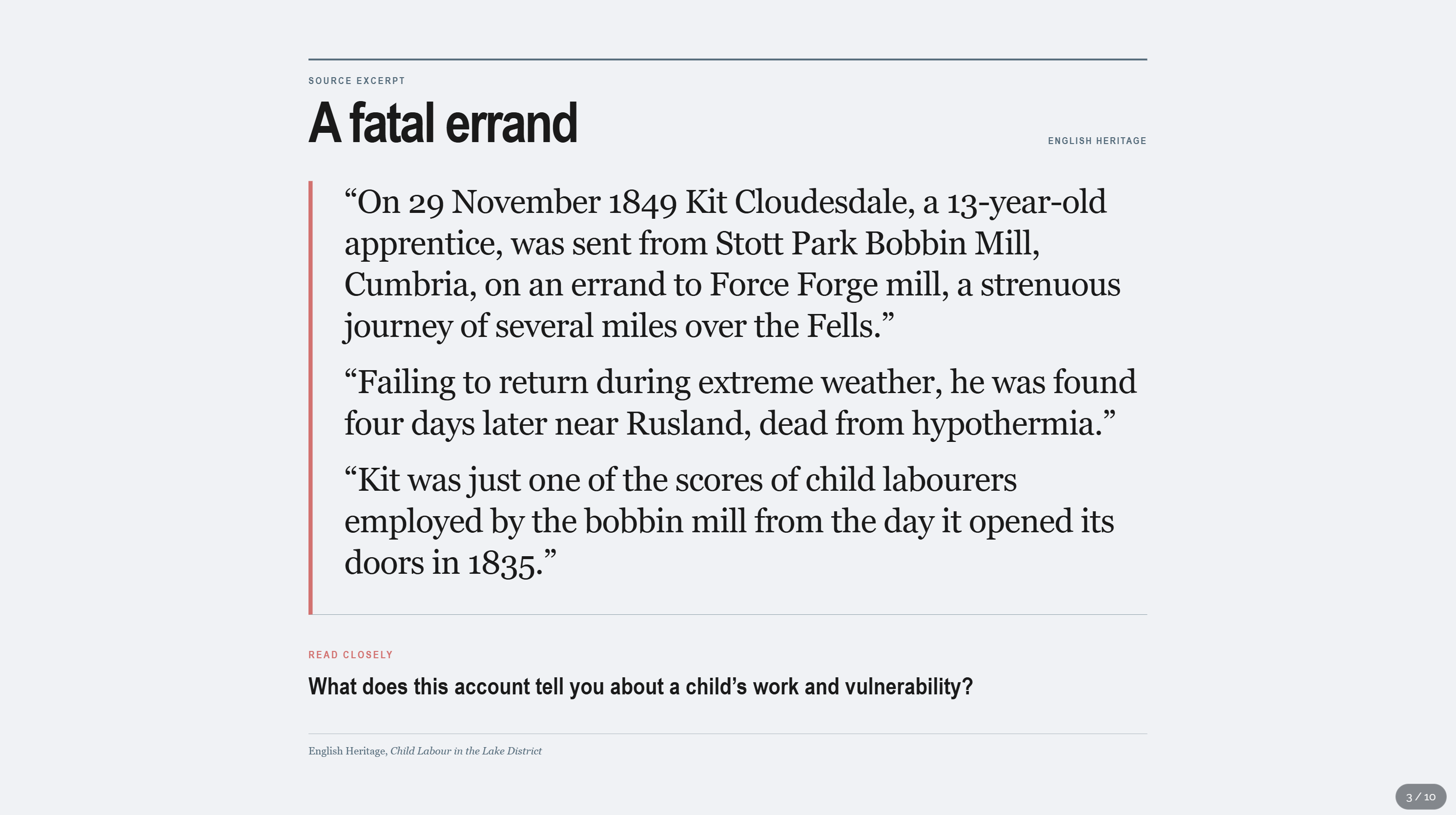
A page titled A fatal errand presents an English Heritage source excerpt and asks what it reveals about a child’s work and vulnerability.
02 / Read the evidence
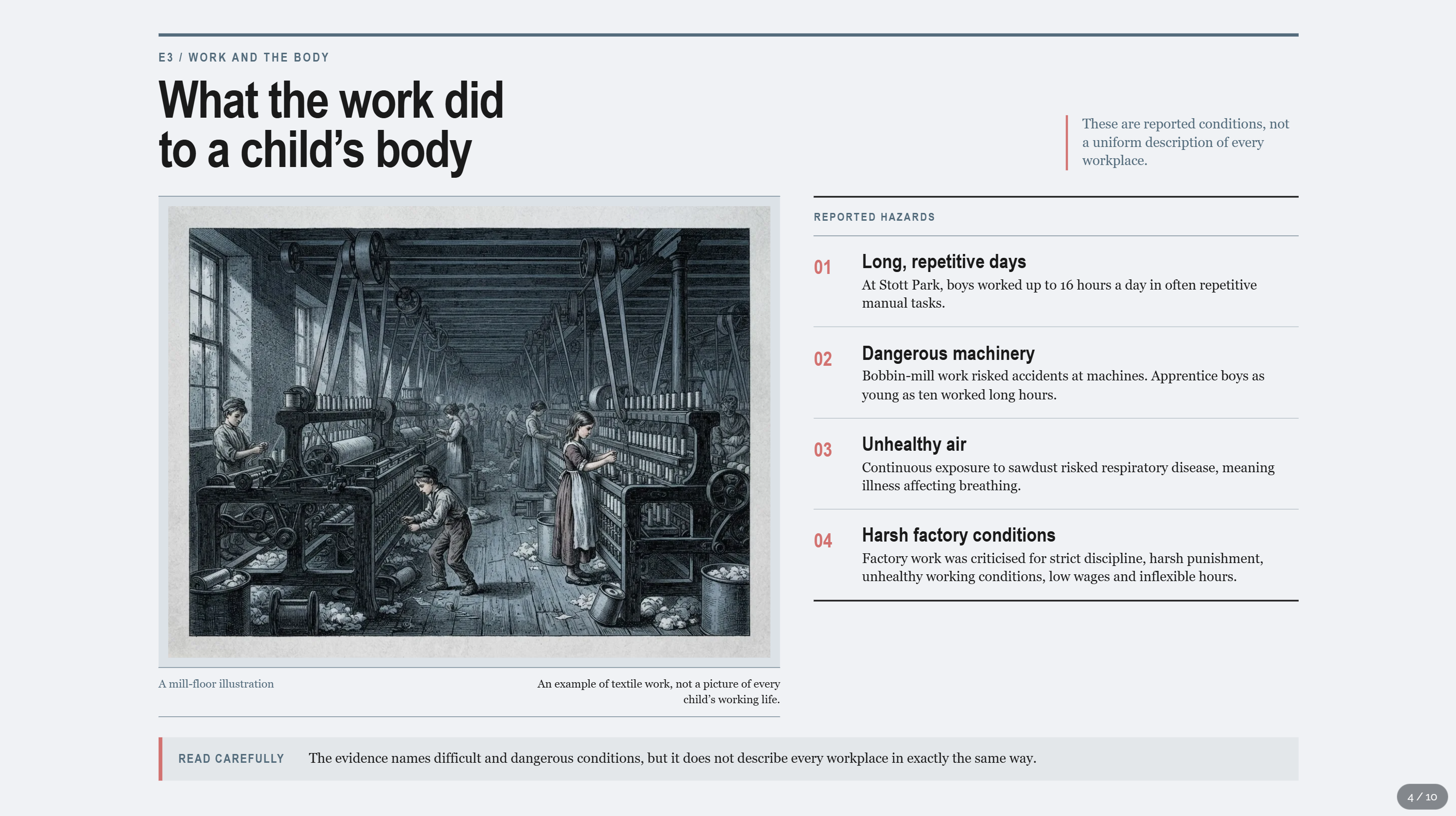
An illustrated mill floor accompanies four reported hazards and a question about the limits of the evidence.
03 / Make sense of it
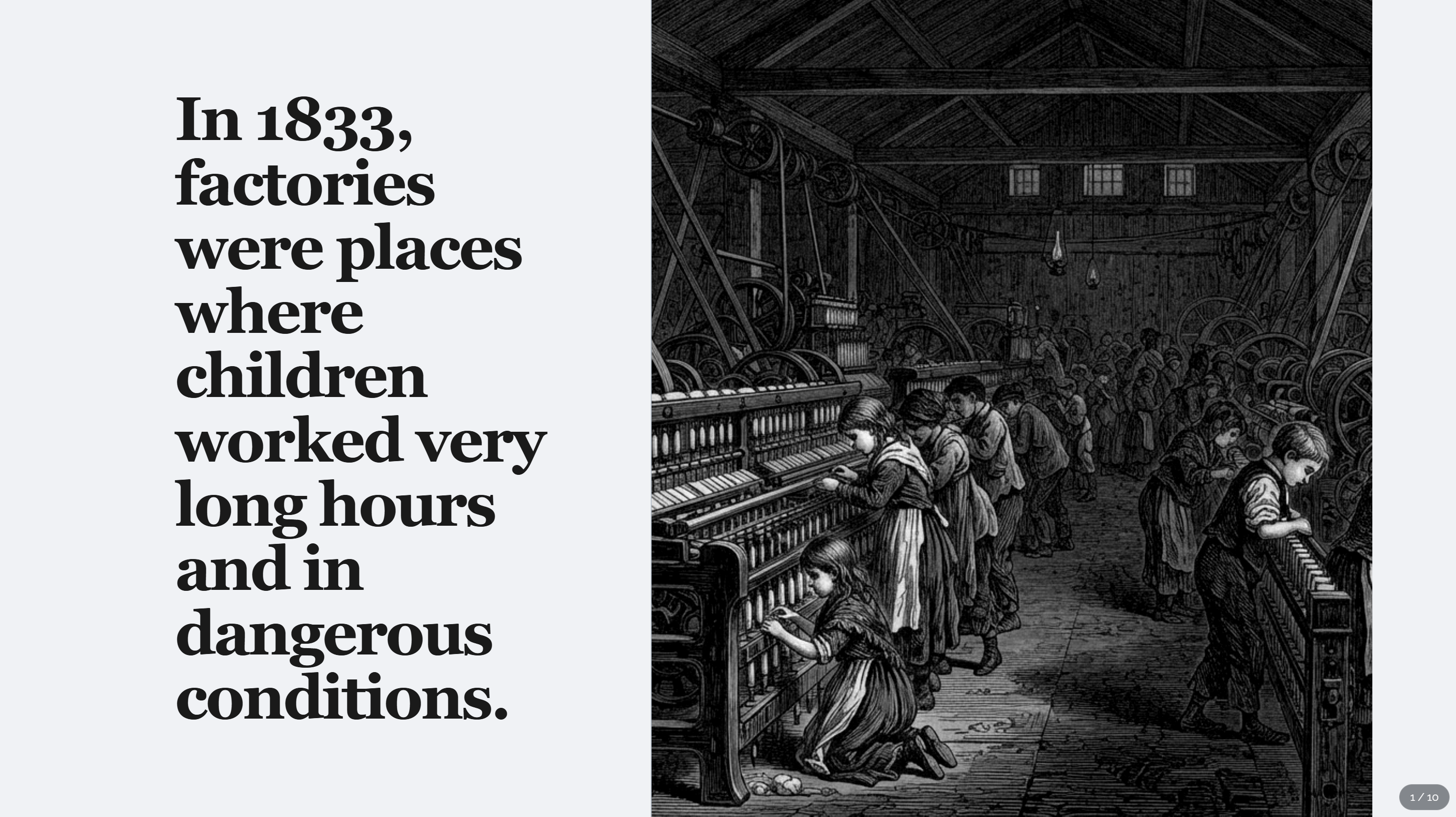
The lesson opens with bold editorial typography beside a detailed black and white illustration of children working in a factory.
01 / Set the scene

One real prompt. Three pages from the resulting lesson. Select a page to look closer.

Same subject. Different ways to learn.

Designed for
the way you teach.

Lead a room. Let someone work through it alone. Give them something useful to revisit. The learning changes with the setting.

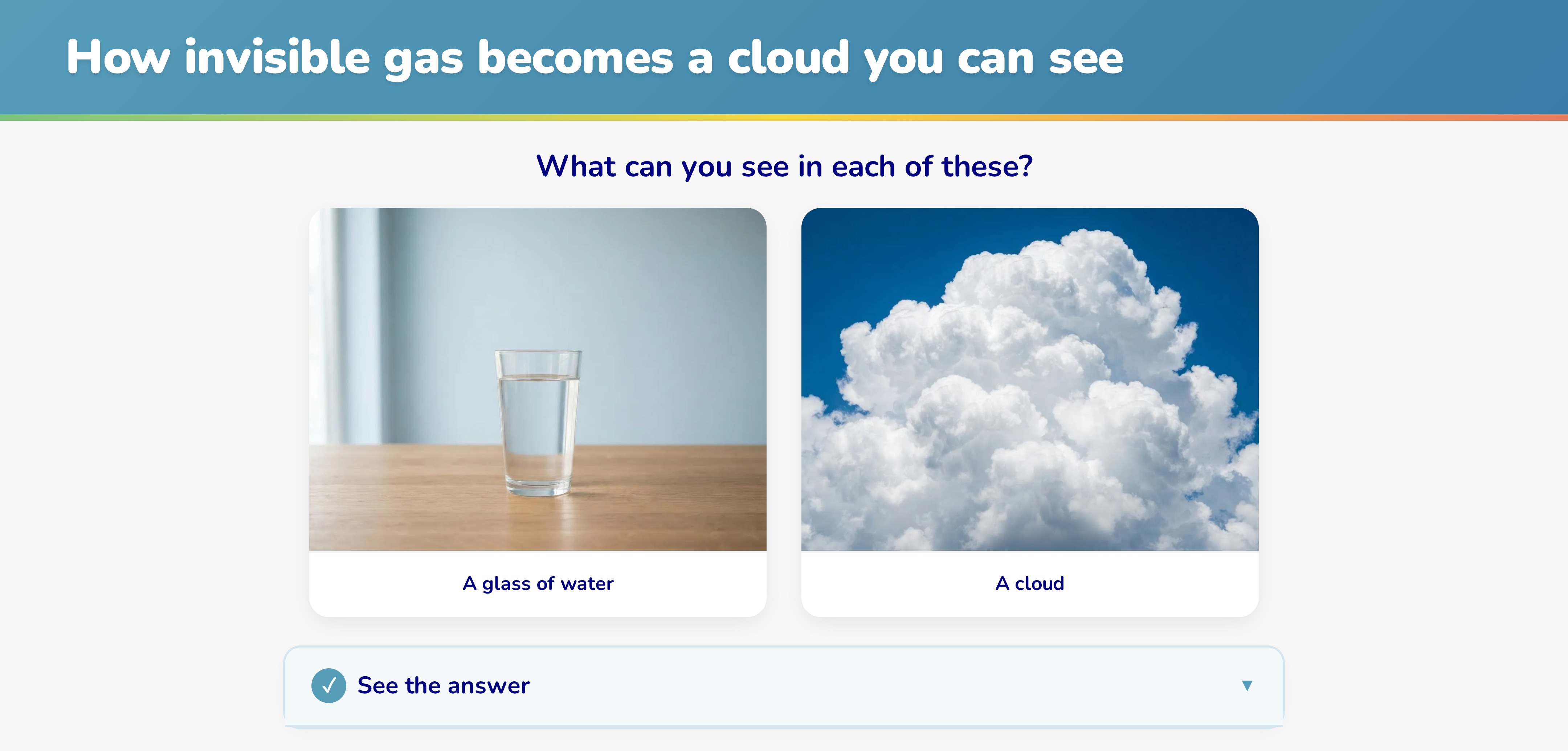
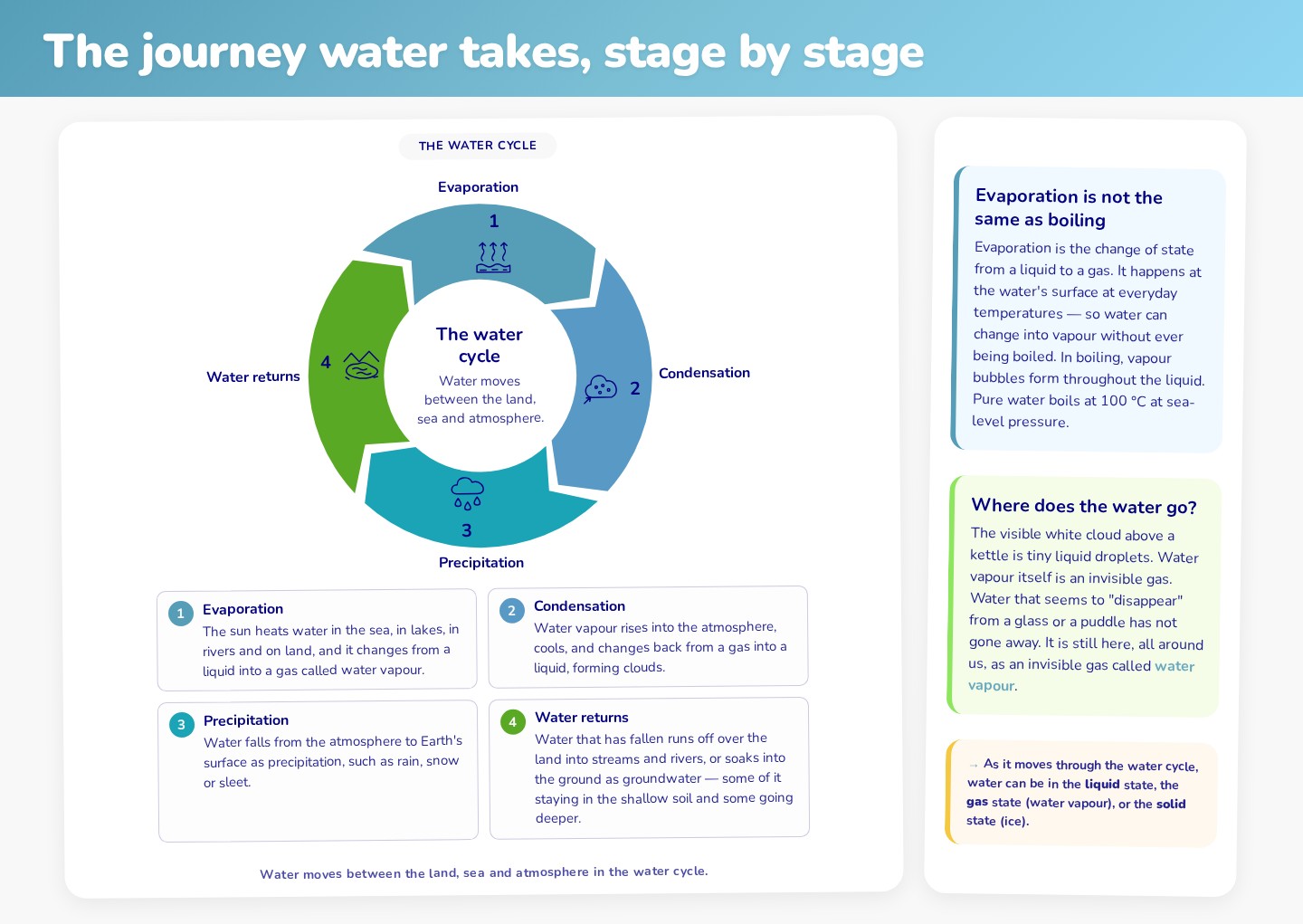
A teacher-led comparison of liquid water and a visible cloud, with the answer hidden until the presenter reveals it.
Facilitator-led learning

Bring the room
into it.

A question before the explanation. Time to predict, compare and discuss. Reveals you control, so the group can work it out together.

“What can you see in each of these?”

Water cycle · a group comparison before the answer.

Explore this page
An illustrated school gate and puddle introduce an independent water-cycle lesson with narration and a transcript.
Independent learning

Something they can
work through themselves.

Explanations, individual activities and feedback to guide the learner. A voice can bring the question to life before they explore it.

Read the transcript

It rained hard at break time. The playground was covered in puddles, and the biggest one of all spread right across the tarmac in front of the gate. But by home time, that big puddle was gone. So where did the water go?

Explore this page
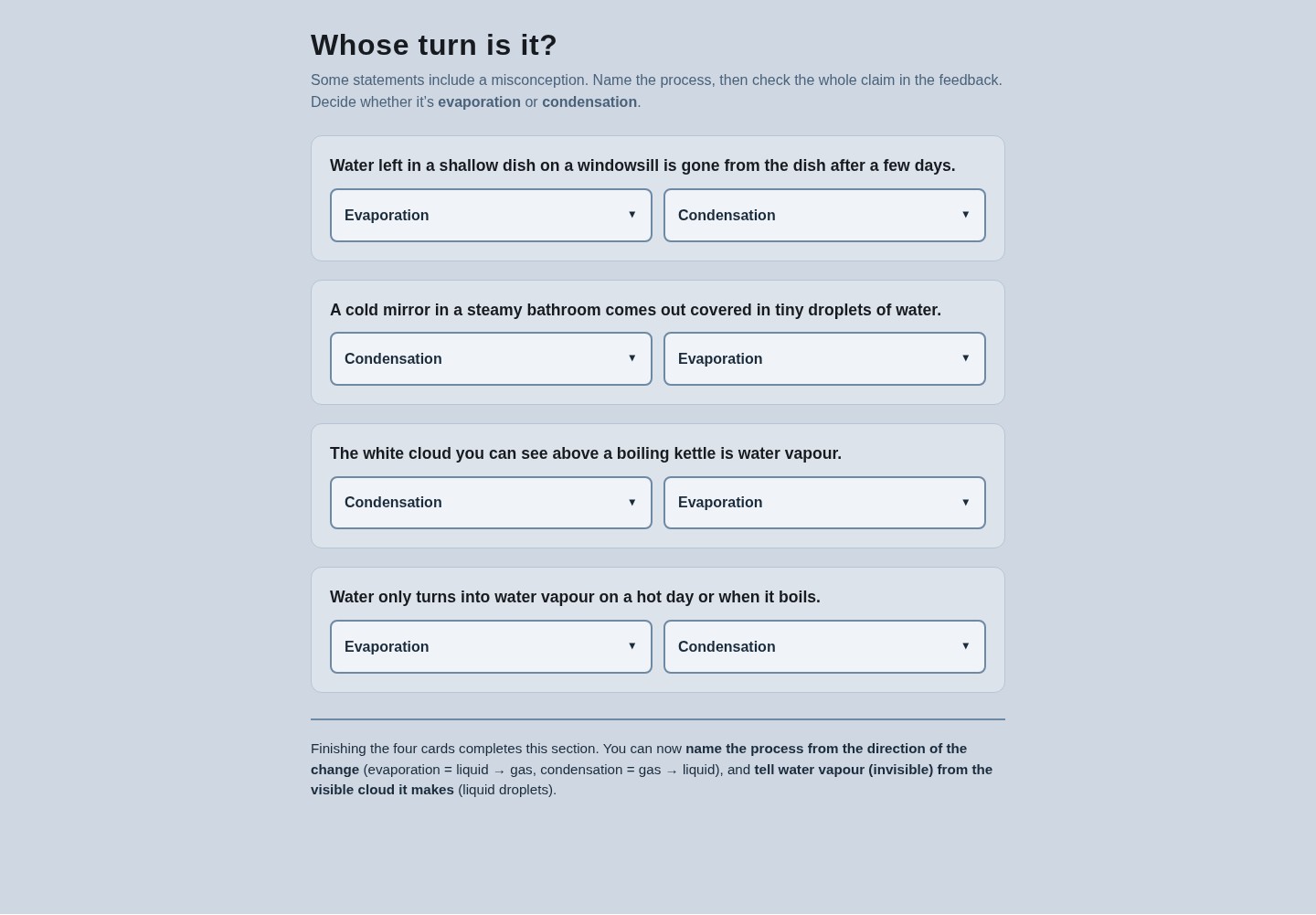
A focused revision activity asks learners to name evaporation or condensation in everyday examples and compare their answers with feedback.
Revision and consolidation

Make time
for another look.

Return to one important idea after the teaching. Use familiar situations to practise, challenge a misconception and check the explanation.

“Decide whether it’s evaporation or condensation.”

Water cycle · a focused check of the two changes.

Explore this page
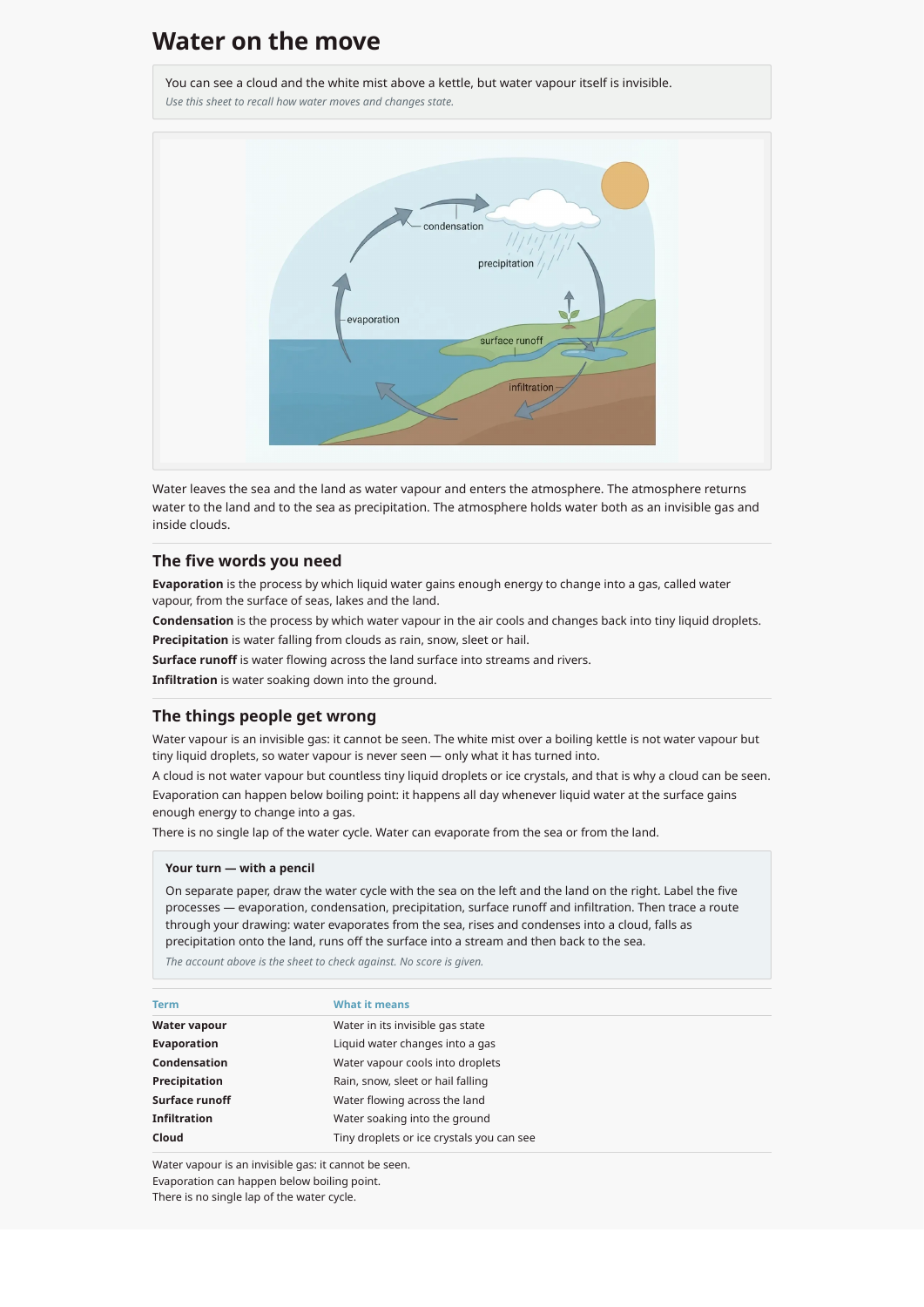
The actual one-page A4 water-cycle handout, with a labelled diagram, definitions, misconception reminders and a pencil activity.
Printable reference

Put something useful
in their hands.

A handout designed to be read, kept and used. Key ideas, a visual explanation and a pencil task, all on one A4 page.

“Water on the move.”

Water cycle · a reference sheet for the next time they need it.

Open the printable PDF

Four separately designed experiences, each created for a different learning setting.

The thinking behind the pages

A whole learning team.
At your fingertips.

FrogSpark takes on the learning design, content writing and visual creation. You can review the proposed learning before it becomes finished pages.

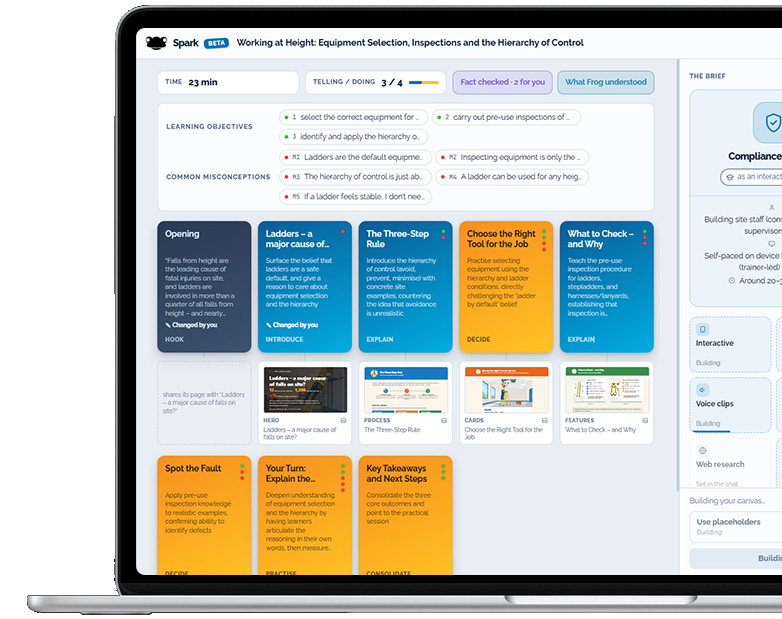
FrogSpark’s learning design screen shows learning objectives, common misconceptions, the balance of telling and doing, and a storyboard of activities.
The real learning design behind the working-at-height example. Select to look closer.

See the thinking

Every page has
a job to do.

Review what learners need to understand, what might trip them up, and how the activities help them get there.

  • Learning objectives and likely misconceptions
  • A sequence of explanations, decisions and practice
  • A balance of listening and doing

Shape the proposed learning before FrogSpark builds the finished pages.

See how a learning goal becomes an activity
01 · What learners need to understand

Tell the two changes apart.

Distinguish liquid turning into gas from gas turning into liquid.

02 · A likely misunderstanding

Getting them the wrong way round.

Learners may reverse evaporation and condensation.

03 · An activity with a reason

Choose. Then compare.

Use everyday examples and explanatory feedback to revisit the direction of the change.

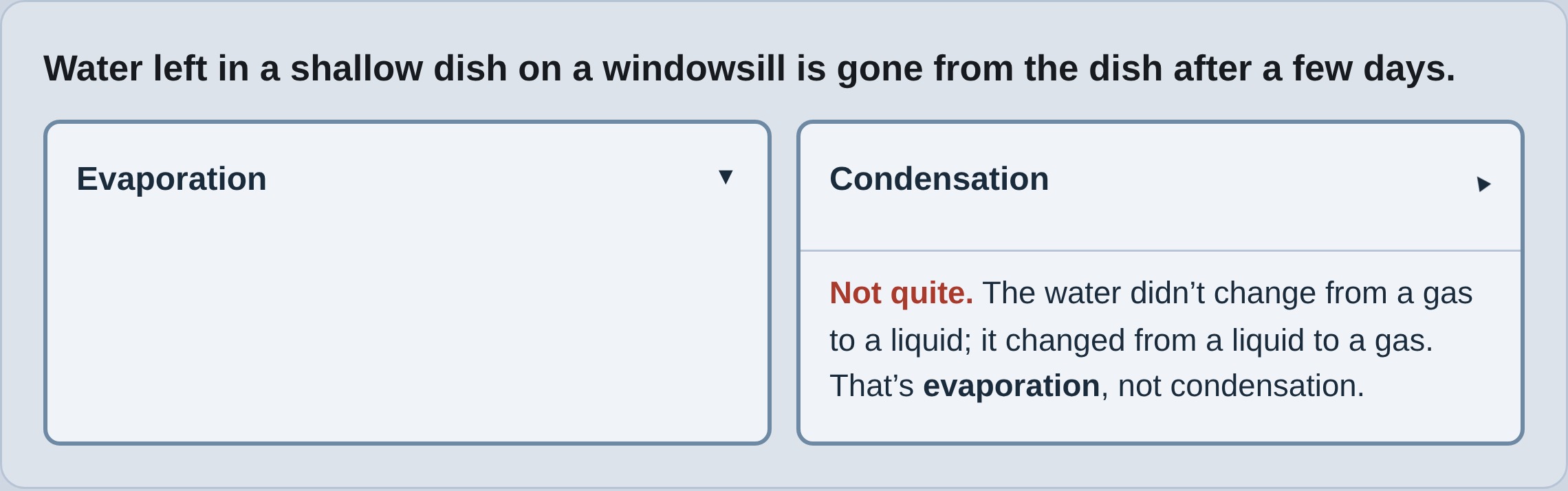
The real revision activity with an incorrect condensation answer expanded to explain that water disappearing from a dish changes from liquid into gas.
From the real learning design

An intended outcome, a likely misconception and the resulting activity.

Try the activity

Made for your people

Your content.
Their kind of learning.

You know your people. Create learning around their work, their experiences and the things that catch their attention. Choose examples, tone and visual style that suit them.

Use your own situations and language. Keep it straightforward, or try something wonderfully unexpected.

Three real FrogSpark examples

Superhero energy. Everyday judgement.

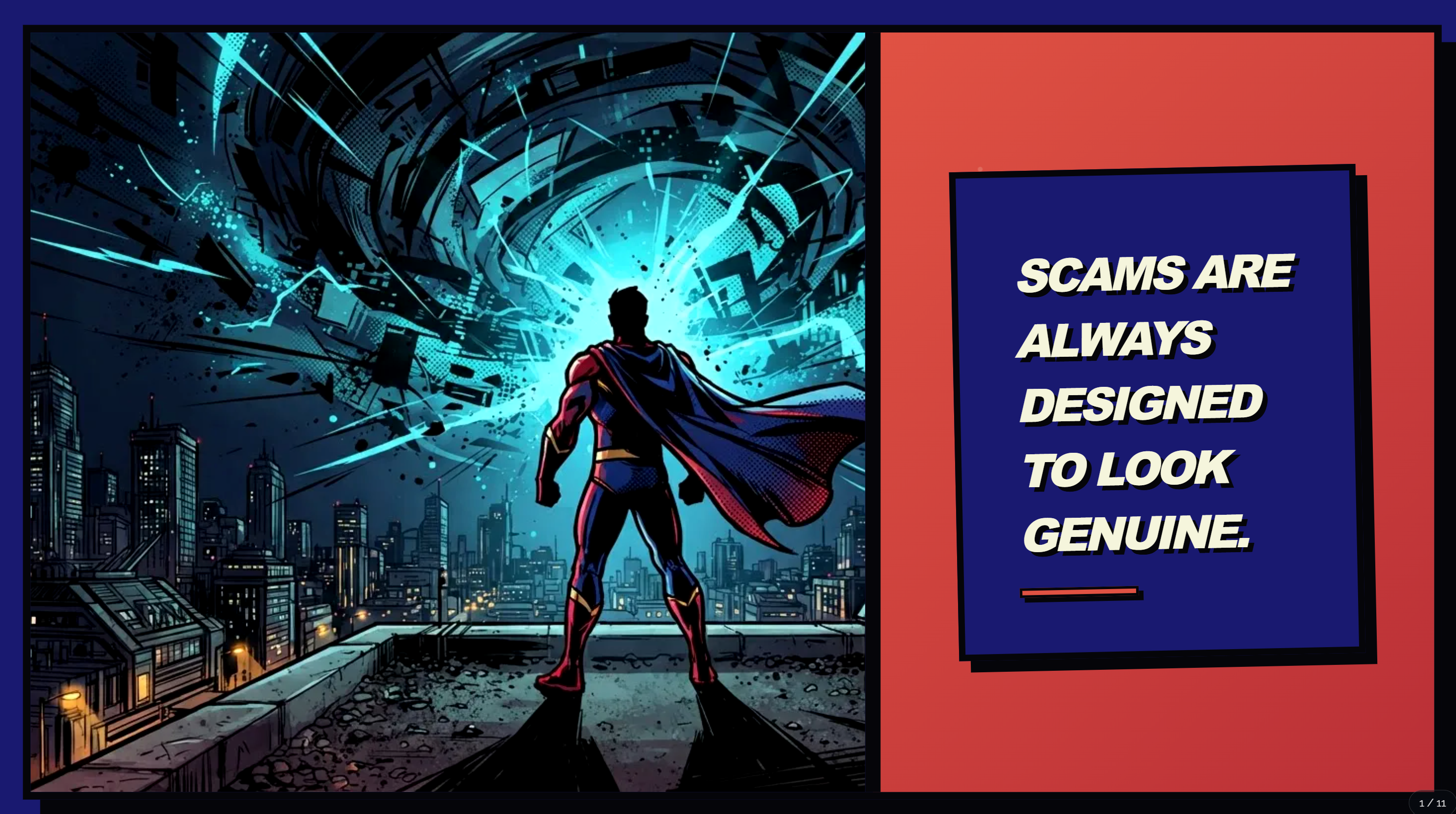
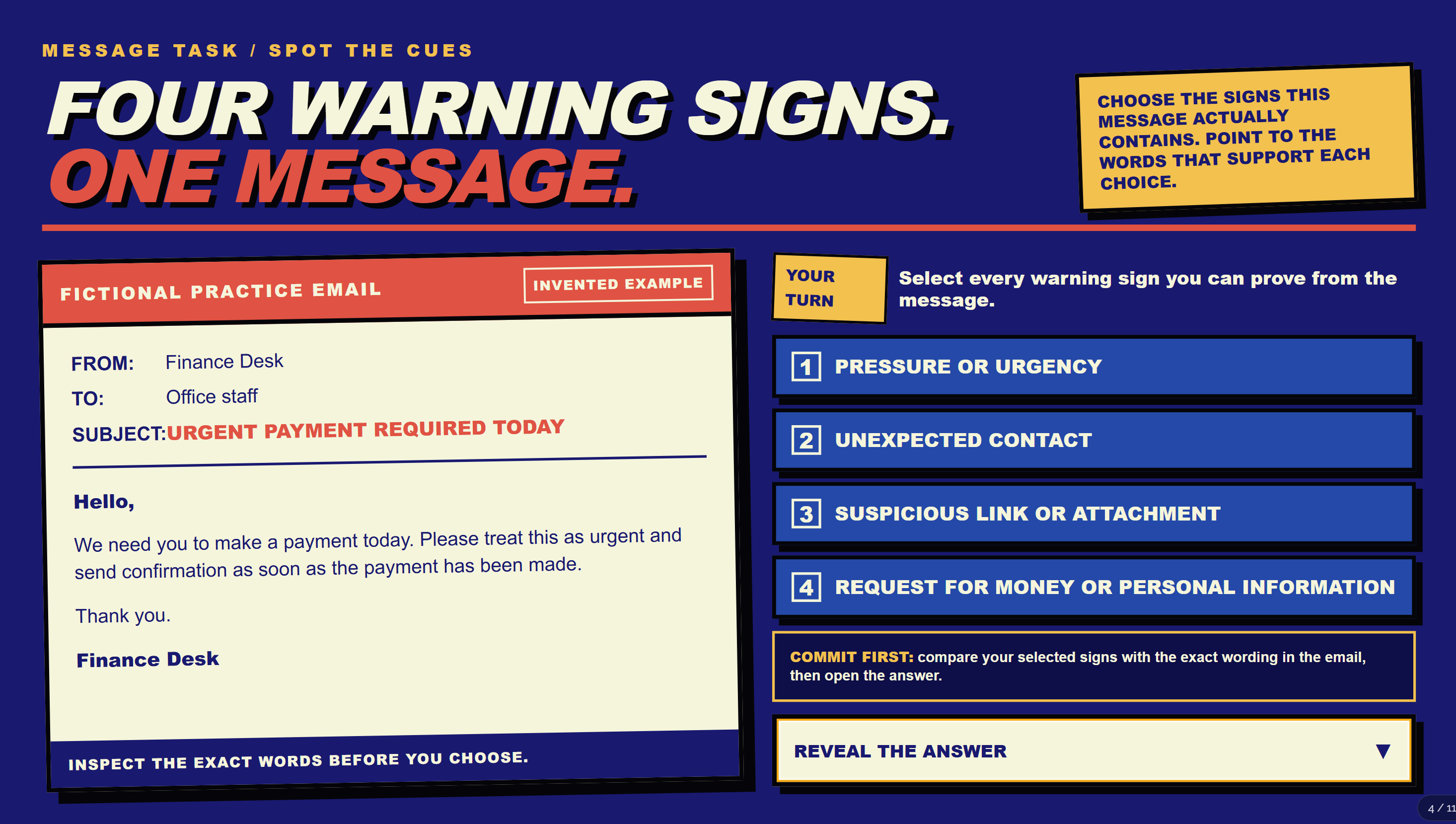
A bold comic-book opening leads into a task that asks learners to examine a message and justify the warning signs they spot.

A superhero overlooks a city beside the statement: Scams are always designed to look genuine.
An opening that sets the tone
A comic-book styled activity asks learners to inspect a fictional email and choose the warning signs supported by its wording.
The same style, carried into the activity

A vintage crime-story feel.

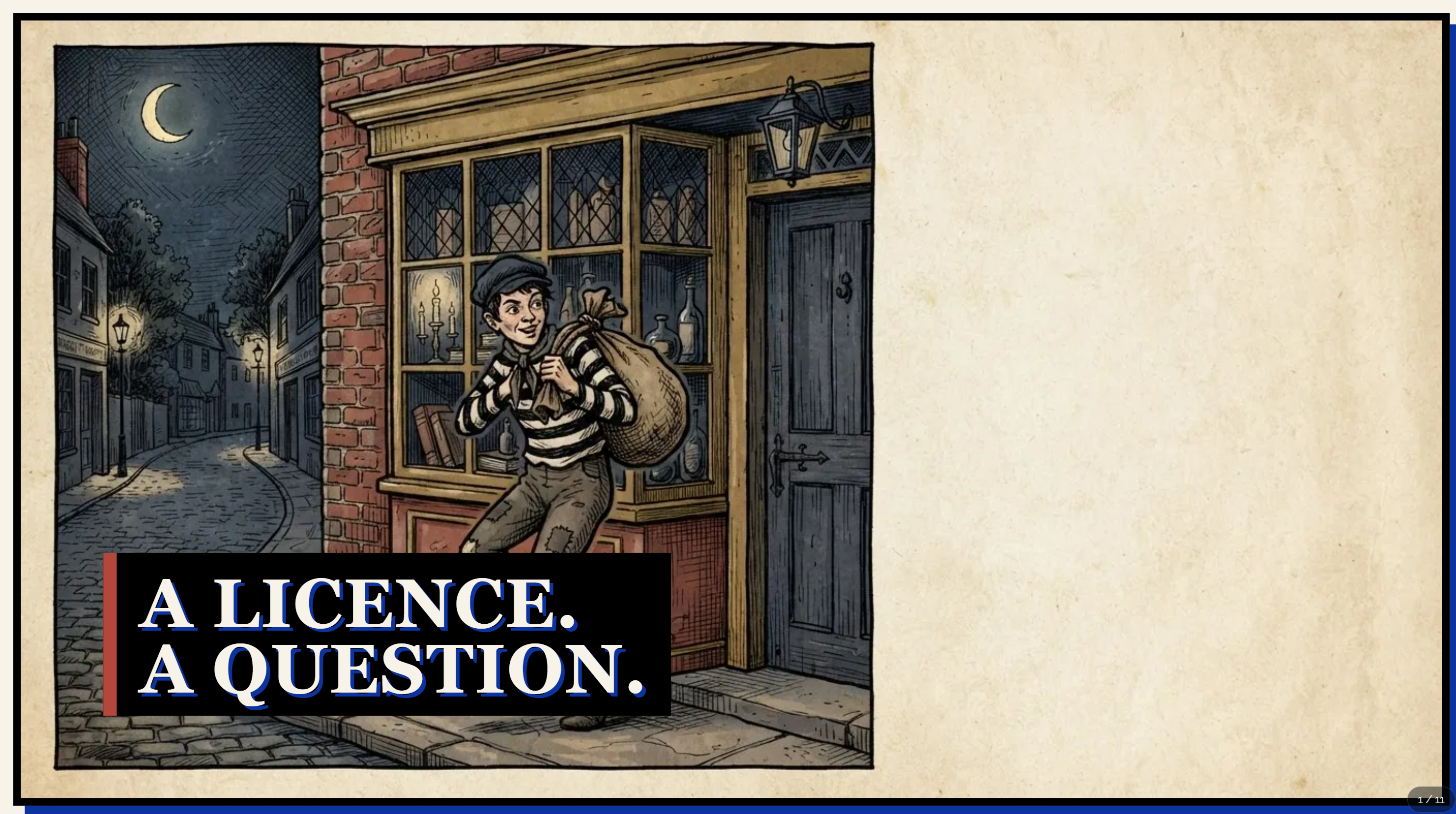
An illustrated opening and bold editorial pages give retail security training a distinctive character, with the explanation kept front and centre.

An old-fashioned illustrated robber stands outside a shop beside the heading A licence. A question.
A distinctive way into the subject
A page titled Your badge is not a warrant card uses contrasting panels to explain the role of a security licence.
The visual treatment continues through the explanation

Wrestling-show drama. A familiar working day.

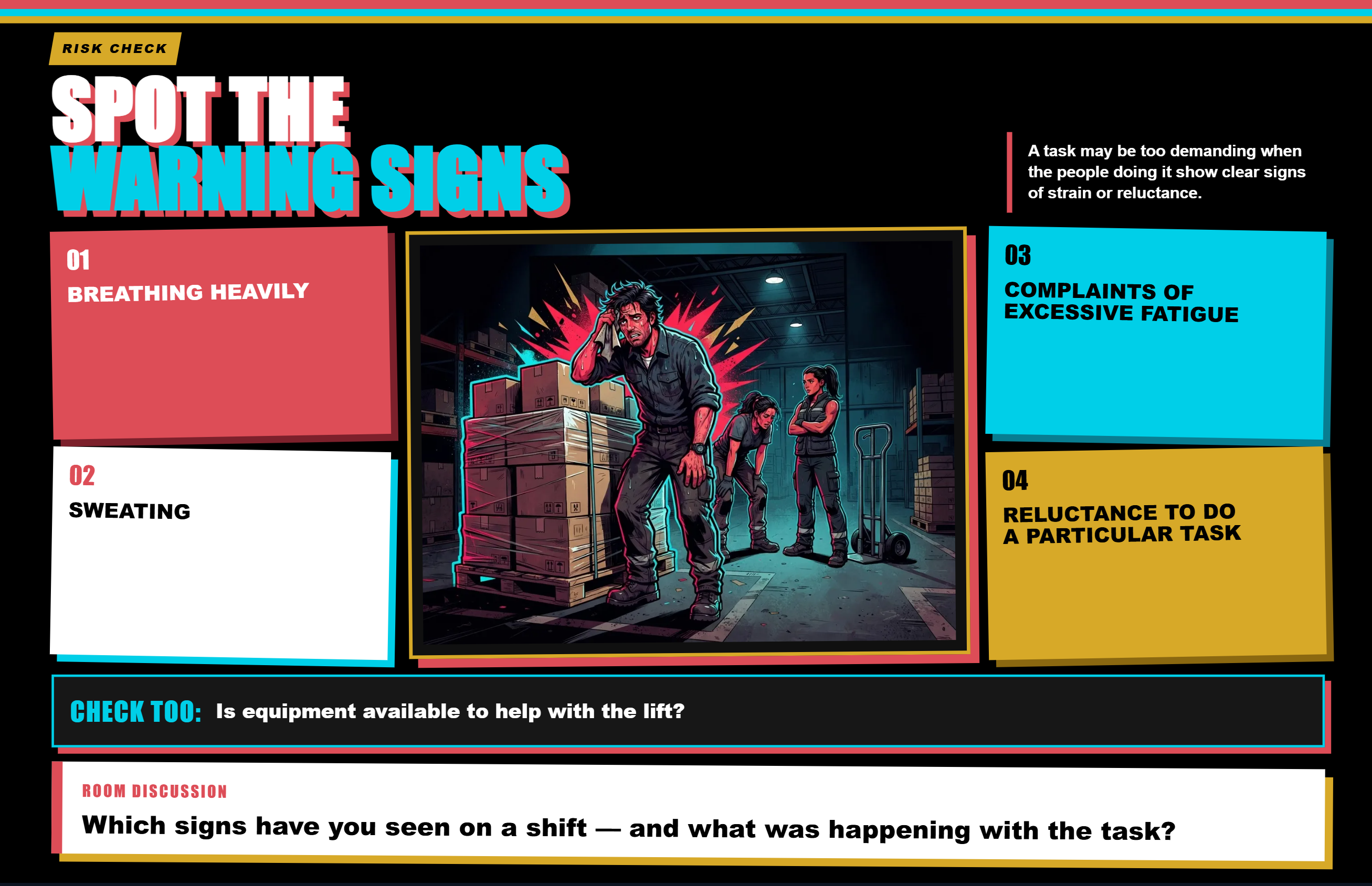
Arena lighting, emphatic type and illustrated warehouse scenes give the lesson its own energy. The activity brings attention back to recognising strain at work.

An illustrated warehouse worker appears beside warning-sign cards and a room discussion prompt, in a vivid wrestling-show visual style.
A learning activity with its own character
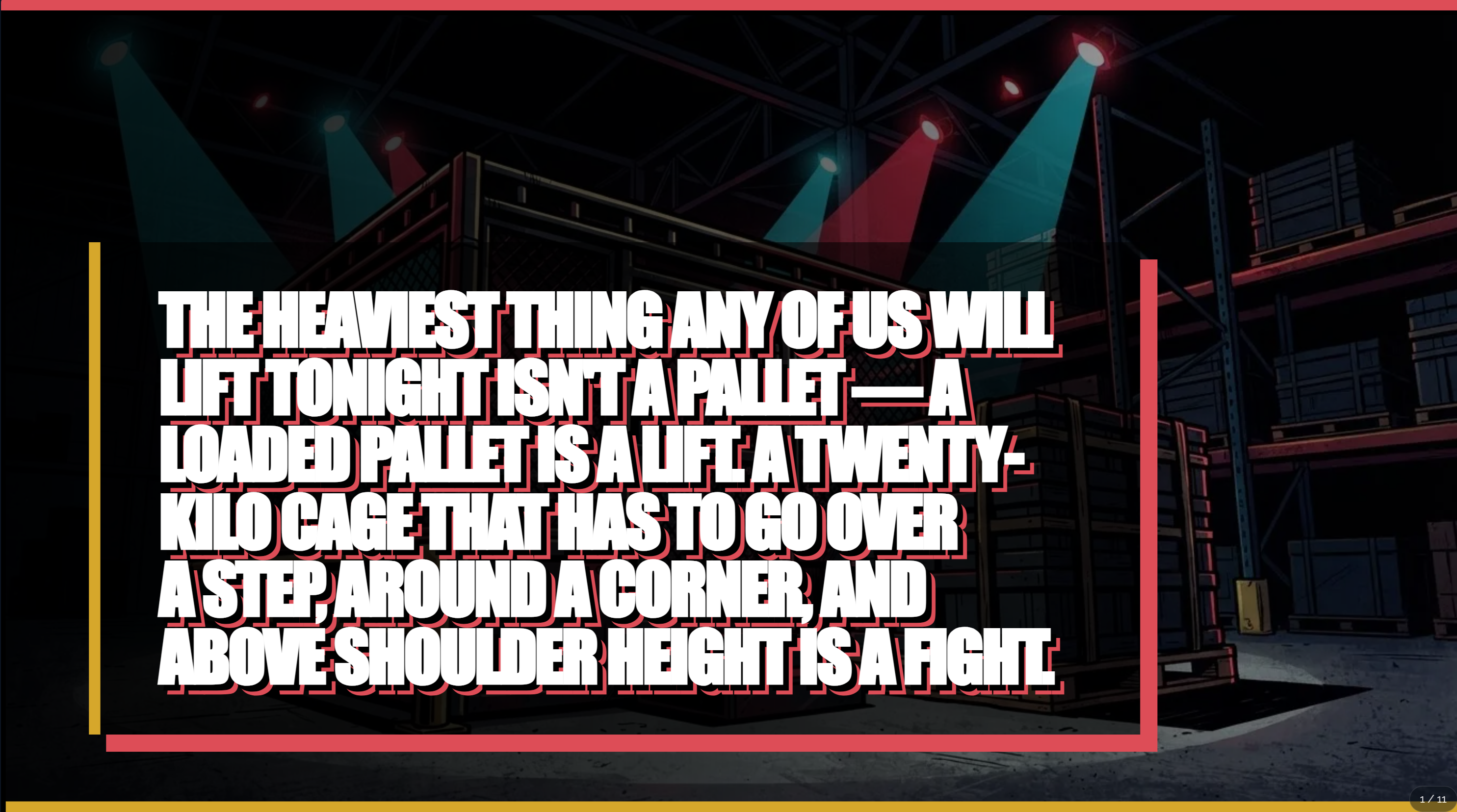
A warehouse under arena-style spotlights frames a dramatic typographic introduction to a difficult lifting task.
The opening sets the scene

Screenshots from generated learning. Select a page to look closer.

Make your changes. Keep the good bits.
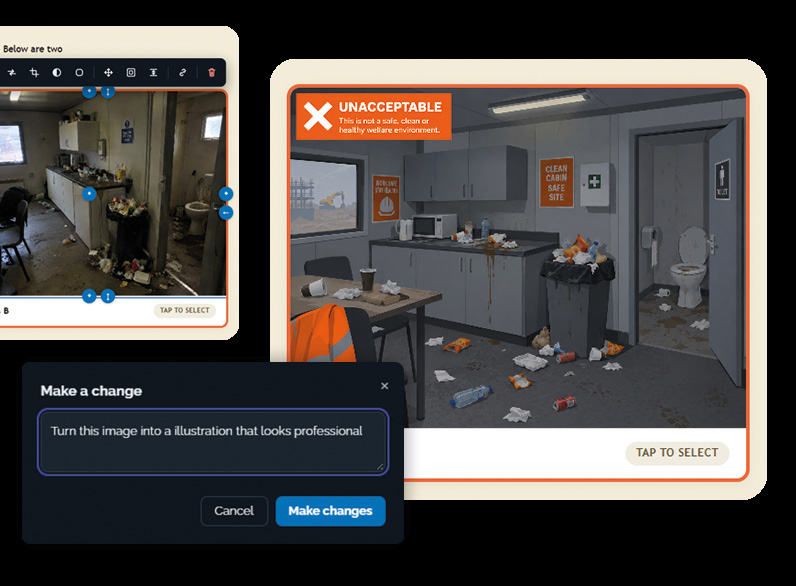
The real FrogSpark editor shows a Smart Edit request changing a workplace visual.
Ask for a change. Or edit the result yourself.
01

Your material, your context.

Bring the details that make the learning relevant to your organisation or class.

02

Change what matters.

Adjust the words and visuals, rebuild a page or bring useful pages into another resource.

03

Keep the good bits.

Build on an explanation you like and give colleagues a starting point for their own learning.

Content provenance, built in

Great learning.
With its sources in sight.

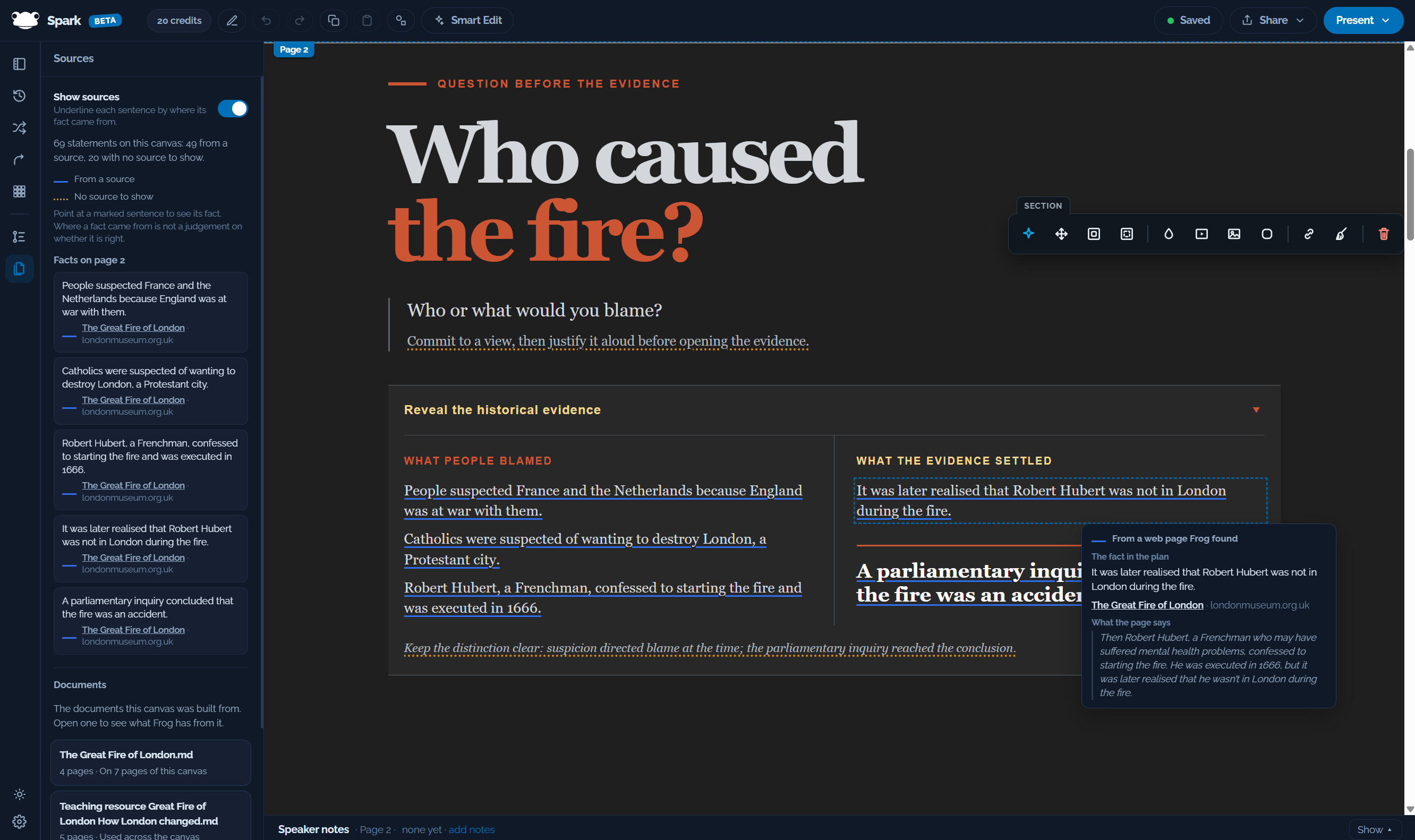
See where the facts came from. Follow a marked statement back to its source and the passage behind it, right inside your learning.

The Sources panel beside a Great Fire of London lesson: blue underlines connect statements to their sources, and a selected statement reveals its London Museum source and supporting passage. Statements with no source to show are marked separately.
01 / Select a statementSee where it came from.02 / Inspect the evidenceRead the source and supporting passage.Look closer

Trace the detail.

Inspect the sources behind individual statements and review the documents used in your build.

Know what needs a look.

Statements with no source to show are marked separately, so you can see where to focus your review.

Fact checking, too.

After learning design, a dedicated fact-check stage checks claims, corrects them or asks you to decide.

A source shows where a statement came from. Fact checking helps you assess whether it is right. Both support your review before sharing.

From your idea to their next discovery

Bring the knowledge.
Let FrogSpark do the making.

  1. 01

    Tell it what
    you want to teach.

    Describe your audience and the learning you have in mind. Add documents and reference material.

  2. 02

    Review the
    learning design.

    See what FrogSpark proposes and how learners will work through it. Review factual corrections and questions.

  3. 03

    Let it build
    the experience.

    FrogSpark creates the pages, visuals and activities from the design.

  4. 04

    Make it yours.
    Share it.

    Review the finished result, make your changes and put it in front of your learners.

Practical from the start

Let the whole team create.
Use it where you need it.

Include your teachers, trainers and subject experts. Share one creation allowance across your organisation.

Present to a room

Use presenter view to lead the learning.

Send a link

Let people open the learning in their browser.

Print a PDF

Give learners something useful to keep.

Use your LMS

Export SCORM for a compatible learning platform.

One organisation. Unlimited authors.

Choose your capacity.
Include your whole team.

Proposed introductory pricing. Monthly plans with shared creation credits. Final prices and purchase terms will be confirmed before you subscribe.

Start something good

Starter

TBC

5,000 creation credits / month

About 100 learning resources per month, on average

  • Unlimited authors
  • AI learning design and visual creation
  • Browser editing and page reuse
  • SCORM export and link sharing
  • Shared credits across your organisation
Join the waitlist
Let’s talk about your learning

Something
in mind?

Bring your subject, your audience and the materials you’ve been meaning to update. Let’s explore what you could create.

Ask for a demonstration

Resource estimates are averages, not fixed allowances. Credit use varies with the length, content and media you create. Organisation admins can manage their plan and top-ups after login. Plan & Top Up

A few things you might want to know

Curious?
Start here.

Do I need to be a designer?

You can start by describing what you want to teach. FrogSpark proposes the learning design and creates the content and visuals, with opportunities for you to review and edit.

Can I use materials we already have?

Yes. Bring documents and presentations as source material, or ask FrogSpark to recreate existing content in a new presentation.

Can I change what it creates?

Yes. Edit pages in your browser, change visuals, rebuild individual pages and reuse material from your other resources.

Do we pay for every author?

No. Every plan includes unlimited authors. Choose a creation allowance for your organisation and share it across your team.

Do our learners need an LMS?

No. You can share a link or present the learning yourself. SCORM export is available for compatible learning platforms. If you’re looking for an LMS or a school learning platform, visit Frog Education.

Can we buy it now?

We’re taking registrations for early access. Join the waitlist to hear when access opens, or contact us for a demonstration. Registering doesn’t create a paid subscription or commit you to a purchase.

Your next great learning experience

What would you love
to bring to life?

Your next lesson. Your team’s expertise.
The materials you’ve been meaning to update.

Learning example

Open full page